Keys for anything
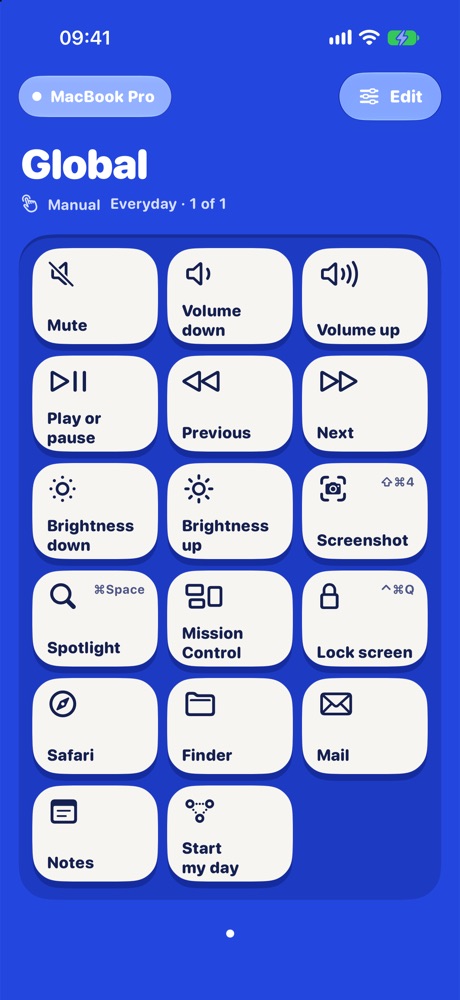
Keyboard shortcuts, apps, links, media, volume, brightness, Shortcuts and system controls. A key lights when your Mac confirms, and toggles stay lit while they're on.
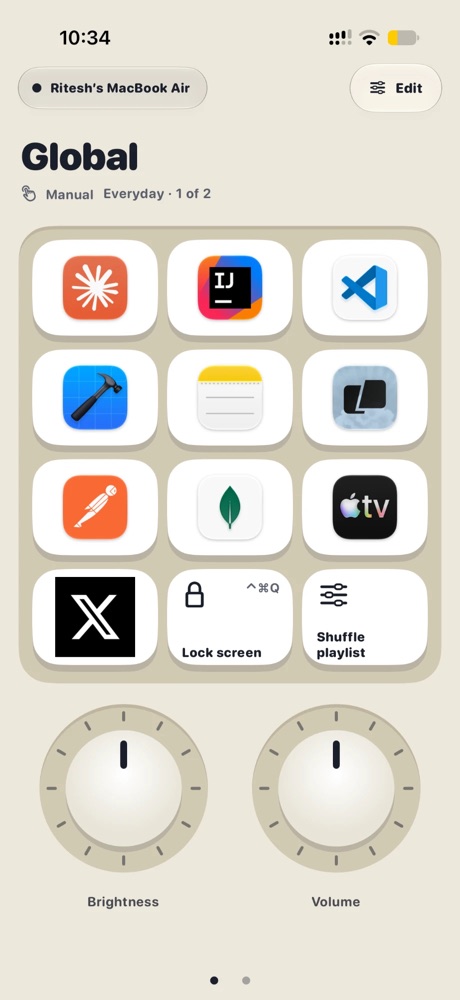
Keys, dials, sliders and a jog wheel for every app you use. Press a key on your iPhone or iPad and your Mac reacts in about 40 ms, over your own Wi-Fi.
TouchDeck turns the screen you already carry into the hardware deck your Mac never had, with keys that feel like keys.
Keyboard shortcuts, apps, links, media, volume, brightness, Shortcuts and system controls. A key lights when your Mac confirms, and toggles stay lit while they're on.
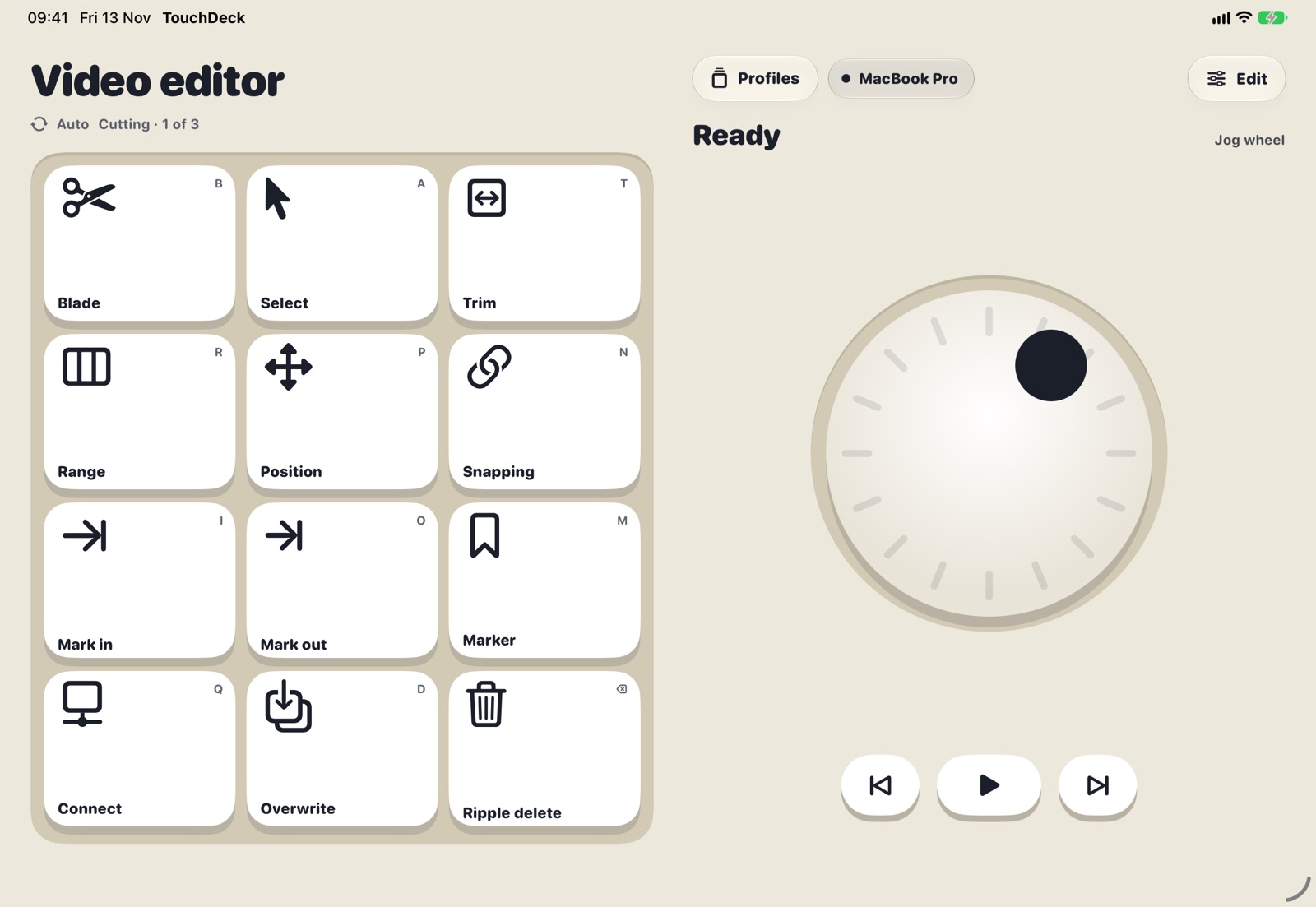
Turn a dial for zoom or volume, slide a fader for levels, spin the jog wheel to scrub a timeline. Each one gives a little haptic tick.
One key runs several steps: open an app, wait, press keys, open a link, run a Shortcut. Watch each step happen on the key.
Each app can have its own deck. Switch apps on your Mac and the deck switches with it, or pick one yourself.
TouchDeck reads the menus of any app on your Mac and turns their shortcuts into ready-made keys, a page per menu.
Start from ready-made decks for Photoshop, Logic Pro, Xcode, Figma and Keynote, then drag keys, resize them and rename pages.
iPhone in portrait or on its side, the iPhone Duo folded or open, iPad mini to iPad Pro. Choose fewer, bigger keys or more of them.
Presses travel only over your own Wi-Fi, encrypted, to the Mac you paired. No account, no ads, no tracking.
Each device keeps its own decks and backs them up to your iCloud, so they come back if you delete the app or move to a new device.
A full deck on iPhone, a console on iPad, and an editor that lays out every key exactly where you want it.
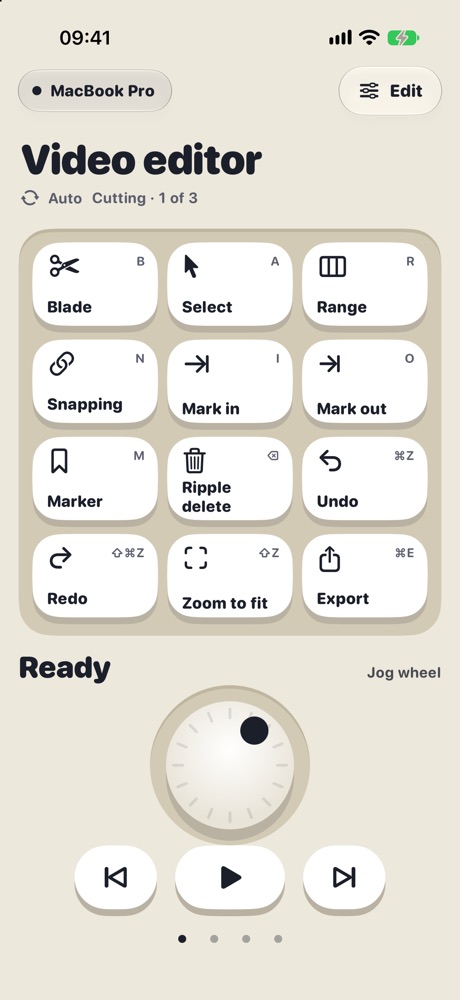
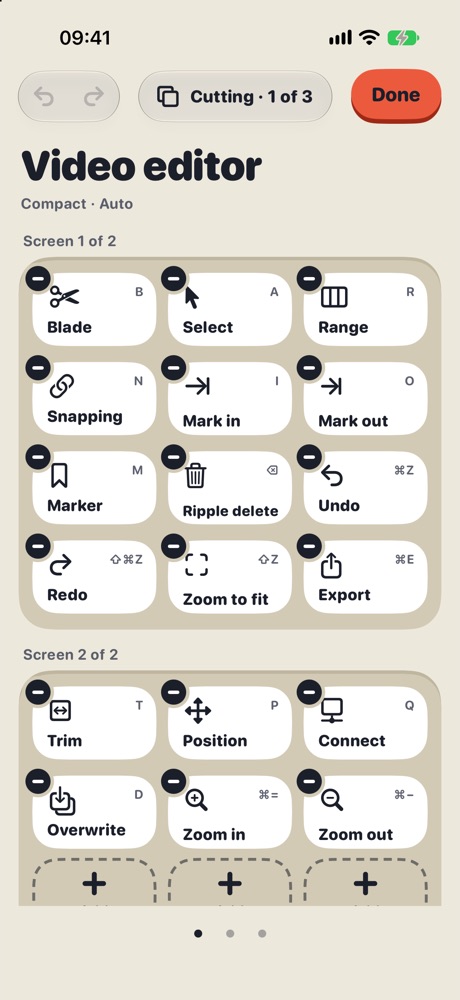
On iPad the keys fill the screen and make room when a page has dials, sliders or a jog wheel. Choose Large for fewer, bigger keys or Compact for more.
Folded, the outer display keeps your everyday keys in reach. Open it for the big deck, with the jog wheel, dials and sliders beside your keys.
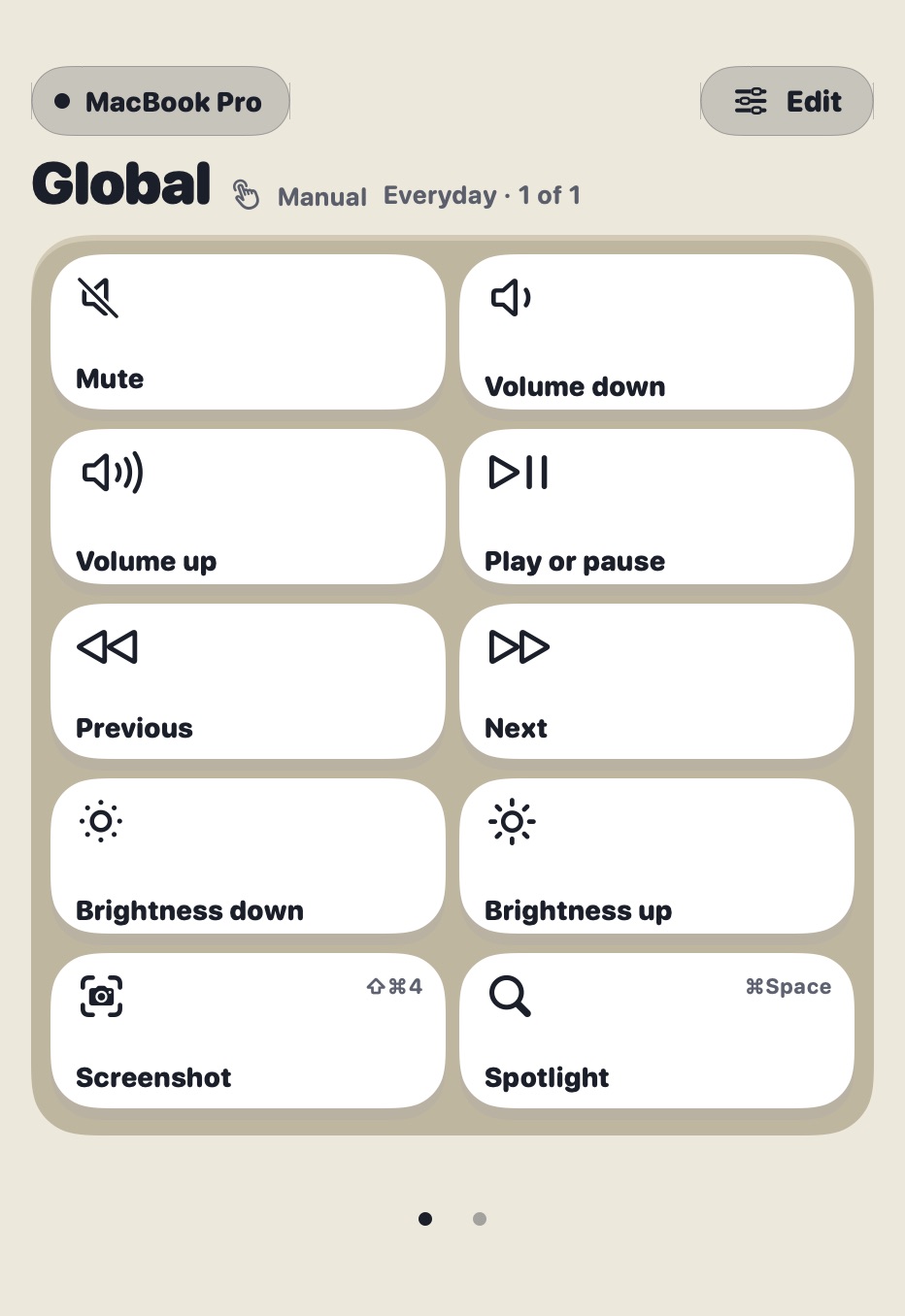
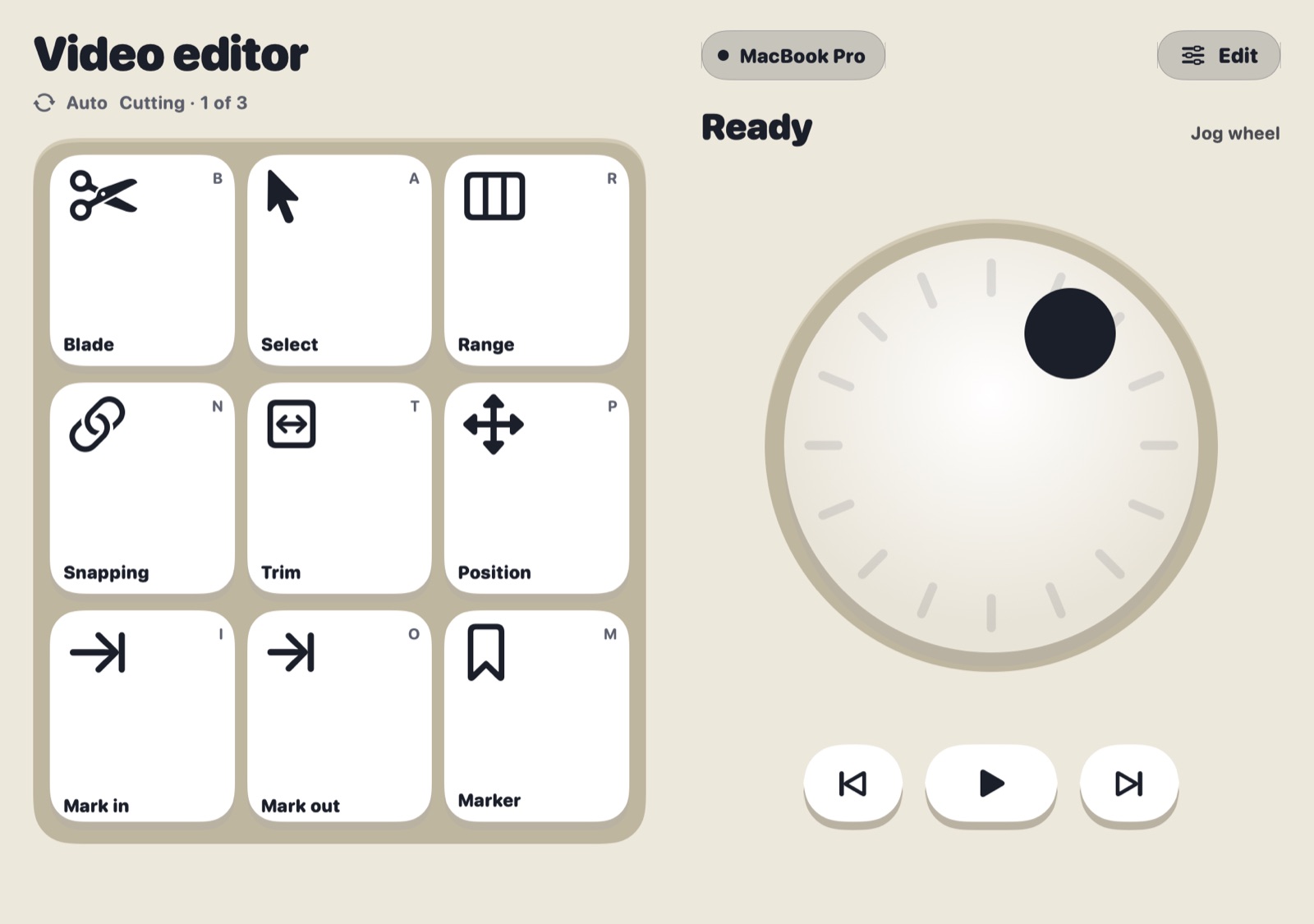
Starter, Mint and Arcade, each in light and dark. This website wears them too: try the palette button at the top.
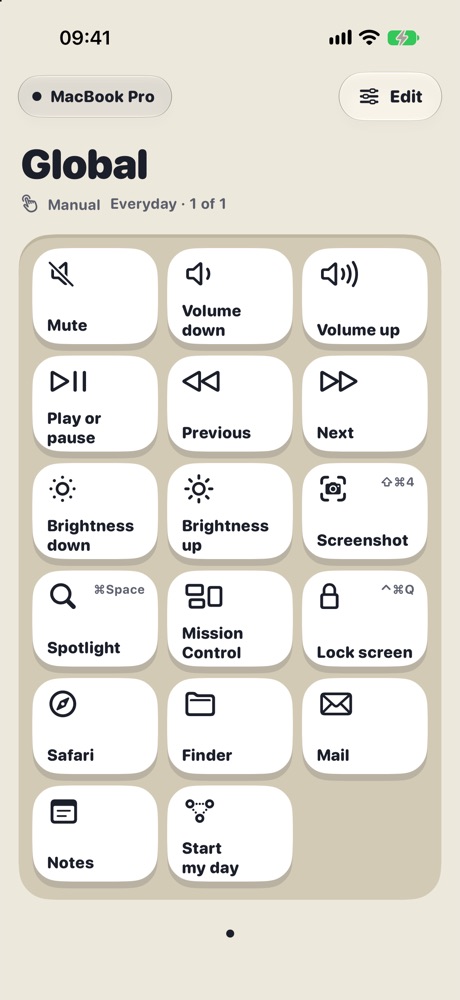
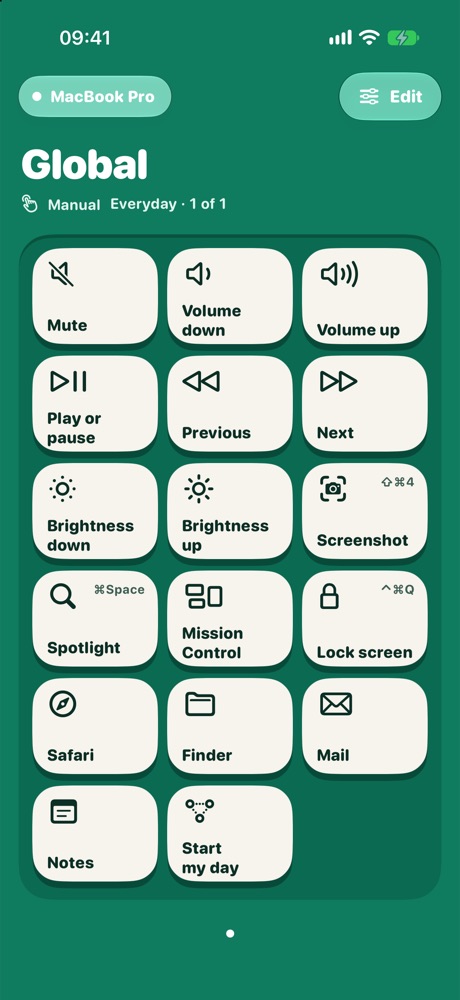
Install the free TouchDeck for Mac from the Mac App Store. It sits in your menu bar.
Open TouchDeck on your iPhone or iPad, pick your Mac, and approve the four-digit code on the Mac. Or scan its QR code.
Start with a template or your Mac's everyday keys, then make the deck your own. The tour in the app shows you around.
One plan unlocks every feature on all your iPhones and iPads. The Mac app is free. Prices are in US dollars; the App Store shows yours in your currency.
An iPhone or iPad on iOS or iPadOS 26 or later, a Mac on macOS 26 or later with the free TouchDeck for Mac app, and both on the same Wi-Fi network.
Yes. A key can press any keyboard shortcut, open apps and links, control volume, brightness and media, and run your Shortcuts. TouchDeck can also read an app's menus on your Mac and turn its shortcuts into keys.
Yes. Monthly starts with 7 days free for new subscribers. Cancel any time before the trial ends in Settings › Apple Account › Subscriptions and you won't be charged.
Yes. Monthly or Lifetime unlocks TouchDeck on every iPhone and iPad signed in to the same Apple Account. The Mac app is free.
Your presses go straight from your iPhone or iPad to your Mac over your own Wi-Fi, encrypted, and never through our servers. There is no account to create. Your decks are backed up to your own iCloud.
Each device backs up its own decks to your iCloud. When you install TouchDeck again, or set up a new device, it offers to restore them.
macOS needs it before any app can press keyboard shortcuts for you. TouchDeck uses it only to press the keys you set up on your iPhone or iPad.
Free for 7 days on iPhone and iPad. The Mac app is free.